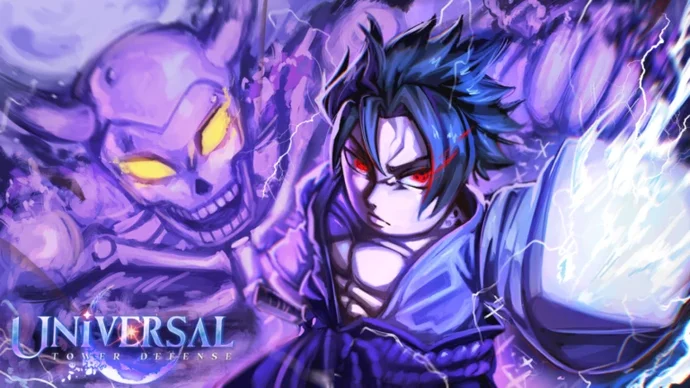
Universal Tower Defense Z (UTDZ) is a popular Roblox tower defense game featuring an Etherealization mechanism, a unit evolution system, and interdimensional gameplay. Universal Tower Defense Z codes will help you gear up to defeat waves of foes and summon the rarest anime heroes that will blast enemies into pieces. To give players an advantage in combat, the developer Universal-TD provides a code redemption system that yields free in-game currency, rerolls, and character items.
Active Universal Tower Defense Z Codes
Currently, there are 10 active codes available for Universal Tower Defense Z, while 164 codes are inactive. Below is the full list of active codes and their exact rewards:
Football11!– 100 Trait Rerolls, 20,000 Gems, and 100,000 GoldUniversalFootball!– 25 Trait Rerolls, 25 Relic Rerolls, 25 Stat Rerolls, 25 Stat Locks, and 100,000 Universal Gems Season 1 Part 2NewBlitzPass!– 50 Trait Rerolls and 5,000 GemsWeLoveYoruichi2!– 250 RerollsWeLoveYoruichi!– Yoruichi, Evo Items, 250 Trait Rerolls, 6 Etherealization Shards, and 5 Summer CratesUTDZApologyForBugs!– 1.5k Trait Rerolls and 1x Boundless OrbWeLoveUTDZ!– Fern, Fern Evo Items, 12 Mythic Etherealization Shards, and Kenpachi EVOSrryForWhoopsie!– 1 Ruler TicketReapersVsHollowDestroyers!– 50 Trait Rerolls and 10k GemsSpectacularSpider!– 50 Trait Rerolls and 100k Universal Gems
Game Modes and Official Code Sources
While Universal Tower Defense Z includes a main campaign, players can test their units across several distinct game modes:
- Story Mode: Progress through the main campaign.
- Challenges: Test your skills with special conditions.
- Virtual Realm: Experience unique gameplay scenarios.
- Raids: Team up with friends for challenging encounters.
New codes for UTDZ (and its related game, Universal Tower Defense X / UTDX) are officially released by the operator Universal-TD across three primary community platforms: the official Roblox group, the Discord server, and the official YouTube channel (@Universal-TD).
How to Redeem Codes in UTDZ
Redeeming rewards in Universal Tower Defense Z is straightforward:
- Open Universal Tower Defense Z on the Roblox platform.
- Click on the Codes button located on the right side of the screen.
- Enter your code into the text box and confirm to claim your rewards.
Note: Codes in Universal Tower Defense Z are not case-sensitive. If you receive an “Invalid” message, it usually indicates that the code has expired or that a typographical error occurred during entry.
 English
  Japanese
  Korean
  French
  Spanish
  Chinese
  Russian